 Template
The best Strong app alternative that tells you what's next
Looking for a Strong app alternative? Compare Strong and Template Trainer on templates, charts, progression, circuits and price, and see which one fits you.
Strong earned its reputation as the clean, no-nonsense gym log: open it, tap a template, log your sets. Lifters who look for a Strong alternative usually like that simplicity but hit one of three walls. The free plan stops at 3 templates. Charts and the plate calculator need PRO. And Strong logs what you did without telling you what to do next, so running a real program means doing its maths yourself. Here's how Template Trainer compares, including where Strong is still the better app.
Strong vs. Template Trainer at a glance
| Template Trainer | Strong | |
|---|---|---|
| Price | Free, no paid tier | Free plan; PRO is $4.99/month or $29.99/year (US), plus a lifetime option |
| Templates or programs | Unlimited, free | 3 templates free; unlimited with PRO |
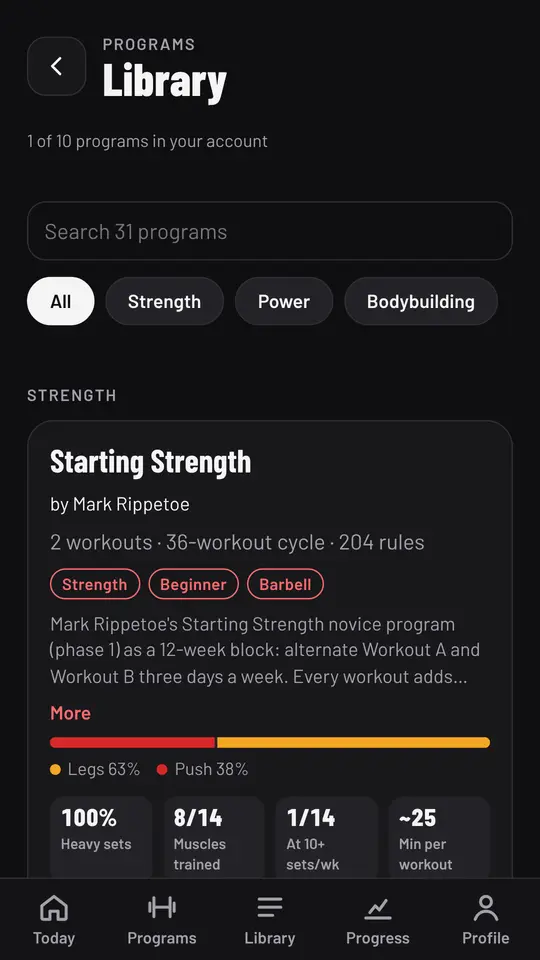
| Built-in programs | 31 classic programs | None; you build your own templates |
| What to lift next | Set by each program's rules, which you can read and edit | You decide, using last time's numbers |
| Charts | Estimated 1RM charts, records and DOTS, all free | Per-exercise charts need PRO |
| Circuits | Circuits with a timed work and rest countdown and callouts | Supersets and circuits, with a rest timer and custom timers |
| Muscle view | Planned sets per muscle for a program | Muscle heat map |
| Watch and health apps | No | Apple Watch app and Apple Health |
| Export your data | CSV of every set | CSV export |
| Where it runs | Any browser on phone, tablet or computer; installs to your home screen; logs offline | iPhone, Android and Apple Watch apps; no web app |
Strong details come from its own help center, home page and App Store listing, checked on the date at the top of this page. Some of Strong's help articles are a few years old, so check its current plan before you buy.
A log that knows the next workout
Strong's templates remember your exercises and show what you lifted last time. That's all a log needs to do. But if you're running a program like GZCLP or the Texas Method, the hard part isn't writing down the sets, it's working out what the next ones should be. When do you add weight? What happens after a miss? Strong leaves that to you.
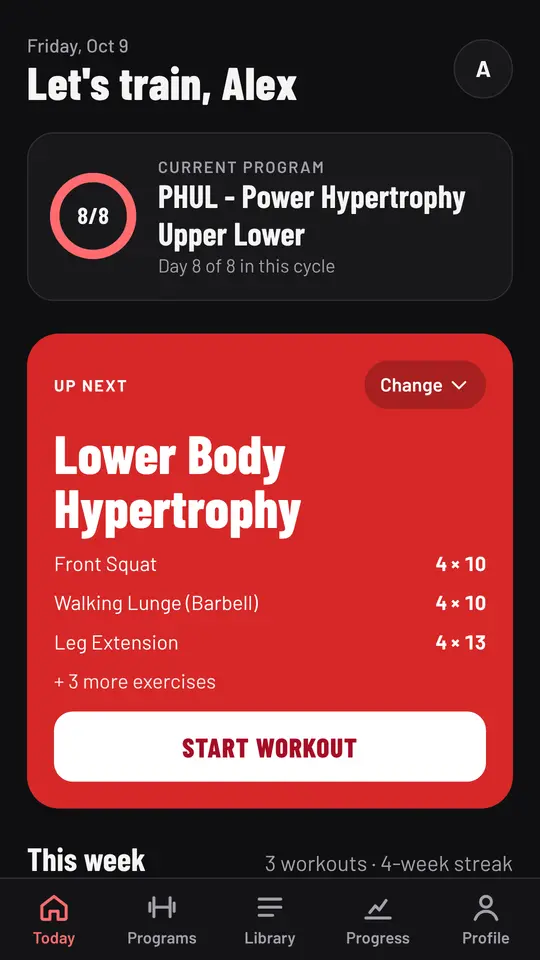
Template Trainer starts from the program. Each of the 31 programs in its library comes with the rules its author wrote: GZCLP adds weight every session and tightens the reps when you miss, the Texas Method sets each volume day from last week's top set, and PHUL bumps a lift once you reach the top of its rep range on every working set. You open Today, and the next workout is already filled in. If you want a rule to work differently, you can open it and change it. See progressive overload for why that matters more than any template.
Try the circuit timer
Strong handles supersets and circuits with a rest timer. Template Trainer goes a step further for conditioning: a circuit in your program runs as a timed sequence of work and rest, with a countdown, beeps and the next exercise called out, and each finished round is logged. The same timer is free on this page. Pick a preset or set your own times and press start.
If you'd like the theory first, see what circuit training is and how to run a circuit workout.
How it works in Template Trainer
Moving from Strong takes a few minutes.
- Pick the program closest to what you run. If you've been logging StrongLifts, GZCLP or a 5/3/1 variant in Strong templates, it's already in the library. If you run your own plan, build it in the program editor; there's no template limit.
- Type in your current lifts once, as a one rep max or a recent best set of 5.
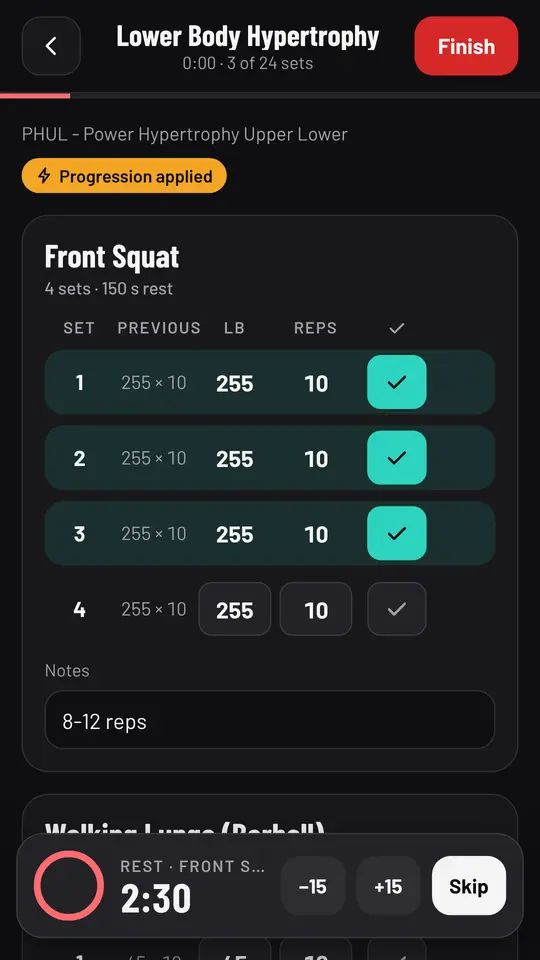
- Start from Today. The workout shows each exercise with last time's numbers beside today's weights, just like Strong, except today's weights were worked out for you.
- Tick sets as you go. The rest timer starts on its own with the program's rest time.
- See your progress on charts that are free for every lift, for as long as you've trained.
Use it on a laptop too
Strong lives on your phone and watch, and its help center has listed a web app as something being worked on. Template Trainer runs in any browser, so you can plan or edit a program on a laptop and log on your phone. Add it to your home screen and it opens like an app. Workouts log offline and sync when you have signal again.
When Strong is the better choice
Strong is the better pick if:
- You want the simplest possible log. If you just want to record sets as fast as possible and decide everything yourself, Strong's minimal design is hard to beat.
- You train from your Apple Watch. Strong has a standalone Apple Watch app. Template Trainer has no watch app.
- You use Apple Health. Strong syncs with it; Template Trainer doesn't.
- You want a lifetime licence. Strong sells PRO as a one-time purchase. Template Trainer is free, so there's nothing to buy, but some people prefer owning the app they use.
- You want to keep years of Strong history in one place. Template Trainer can't import another app's history.
Who should switch
Template Trainer suits you if:
- you've hit Strong's 3-template limit and don't want to pay to add a fourth,
- you run classic programs and want each session's weights set for you,
- you want charts, records and a DOTS score without a subscription,
- you do circuits or conditioning and want a real work and rest timer in your workouts,
- you want to plan on a computer and train with your phone.
Start free and run your next week of training in it alongside Strong.
Frequently asked questions
Is there a free alternative to Strong with unlimited templates?
Yes. Template Trainer is free with no paid tier and no limit on programs or workouts. It shows a small sponsored card on some screens, never on the workout screen.
Can I import my Strong data into Template Trainer?
No. Template Trainer can't import another app's history. Strong lets you export your workouts as a CSV, so you can keep them. In Template Trainer, add the program you run and type in your current lifts to pick up where you left off.
Does Template Trainer have a plate calculator?
No. Strong's plate calculator is a PRO feature. Template Trainer focuses on working out what you should lift; you load the bar yourself.
Does Template Trainer work on Android and iPhone?
Yes. It runs in the browser on any phone, tablet or computer, and you can add it to your home screen so it opens like an app.
Is Template Trainer good for powerlifting?
Yes. The library includes the Texas Method, Madcow 5x5, Candito's 6 week program, Sheiko, Smolov Jr for bench, Westside conjugate and several 5/3/1 variants, each with its progression built in, and the Records screen tracks your DOTS score.
Sources
Strong is a trademark of its owner, and this page isn't affiliated with it. Its prices and features were checked on October 13, 2026 from the sources above and can change, so check its own site before you buy.
About the author

Jordan DuBois has been lifting for 20 years and won men's lightweight bodybuilding as a natural at a 2013 NPC show in Mesa, Arizona. Jordan holds summa cum laude degrees in applied mathematics and biology from Arizona State University, and founded Template Trainer to run proven programs the way their authors wrote them.